

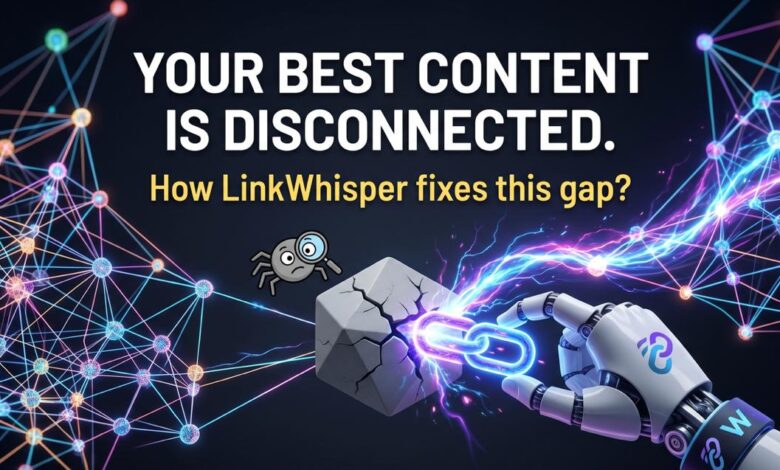

What if some of your best content is already written… but no one can find it?
Not because it is weak. Not because of competition.
But because it is disconnected.

This is one of the most overlooked realities in SEO today. Search engines do not “read” your website the way you do. They move through it. They follow links. They build understanding through structure.
When a page has no internal links pointing to it, it becomes isolated. It exists, but it is not part of your website’s ecosystem.
These are orphan pages.
And they quietly block visibility, authority flow, and rankings.
This is exactly where LinkWhisper, an internal linking SEO plugin for WordPress, changes the game. Instead of guessing where links should go, it shows you what is missing, where connections should exist, and helps you fix it without manual effort.
Before you create more content, it is worth asking a better question.
Are your existing pages even connected well enough to rank?
What Is an Orphan Page
An orphan page is any page on your website that has zero inbound internal links.
The page is live. It may even be optimized well. But since no other page links to it, search engines do not have a clear path to discover or revisit it.
Without that connection, the page does not receive consistent crawl attention or ranking signals.
It may be indexed.
But it will not perform the way it should.
Why Orphan Pages Quietly Impact Your SEO
This is not a surface level issue. It affects how your entire site is understood.
Crawl focus is reduced.
Search engines allocate limited resources when crawling your site. When a page is not connected through internal links, it is crawled less frequently and given less priority.
Even if it appears in your sitemap, that alone is not enough to signal importance.
Authority does not reach the page
Over time, your website builds authority through backlinks and strong content.
Internal links are what distribute that authority across your pages.
When a page has no inbound links, it sits outside that flow. It does not benefit from the strength your site has already built.
Your content structure weaken.s
Search engines look for relationships between pages.
When related content is connected, it builds a clear signal of expertise. This is how topical strength is formed.
An orphan page does not contribute to that structure. It remains isolated, even if the topic is highly relevant.
Heard about Referral Traffic? How can it help you?
\
How to Find Orphan Pages on WordPress with LinkWhisper
One of the biggest challenges with internal linking is visibility.
LinkWhisper solves this directly.
Inside your WordPress dashboard, you can access a complete list of pages that have no inbound internal links.
There is no need for external audits or manual tracking.
Steps to access the report
- Go to your WordPress dashboard
- Open Link Whisper from the sidebar
- Navigate to Link Reports
- Select the Orphaned Posts section
- Review the pages with zero inbound links
You can sort and prioritize based on content type or publishing date.
As you fix links, the report updates automatically. This makes it easy to track progress without additional tools.
How to Fix Orphan Pages Using LinkWhisper
Once you identify orphan pages, the next step is to connect them properly.
This is where LinkWhisper simplifies the process.
How it works
- Open the orphan page in your editor
- Review the suggested linking opportunities
- Select relevant pages and anchor text
- Approve the suggestion
The link is added directly to the source page without needing to manually open and edit multiple posts.
You repeat this until the page has at least two or three relevant inbound links.
The goal is not just to add links. It is to add meaningful connections from related content so that both authority and context are passed effectively.
How to Prevent Orphan Pages Going Forward
Fixing existing gaps is important. Preventing them is what improves long term performance.
Internal linking should be part of your publishing workflow.
LinkWhisper supports this by suggesting links as you create new content. This ensures that every new page is connected from the beginning.
A simple monthly check of the orphan pages report helps you stay consistent.
Quick Answers You Should Know
Are orphan pages bad for SEO?
Yes, orphan pages are a serious SEO concern because they break the internal linking structure that search engines rely on. Without inbound internal links, these pages do not receive authority from the rest of your website. They also struggle with visibility since search engines prioritise linked content. In a global SEO context, especially for competitive markets like the USA, internal linking SEO plays a major role in rankings. Pages that are not connected simply cannot compete, no matter how well written they are.
Can orphan pages be indexed?
Orphan pages can be indexed, but indexing does not guarantee visibility or rankings. Search engines may find them through sitemaps or external references, but without internal links, they are treated as low priority. In practical SEO terms, especially when using tools like an internal link checker or LinkWhisper plugin, you will notice that indexed orphan pages rarely perform well. They lack contextual signals, authority flow, and crawl consistency, which are essential for sustainable rankings.
What does an orphan page mean?
An orphan page refers to a webpage that has no internal links pointing to it from other pages within the same website. In SEO, this means the page is disconnected from the internal link structure. For WordPress SEO and internal linking strategies, this is a critical issue because search engines rely on internal links to discover, understand, and rank content. Without these links, the page becomes isolated, limiting both user access and search engine visibility.
What are orphaned pages in WordPress?
In WordPress, orphaned pages often result from rapid content publishing without a structured internal linking process. Blog posts, tag archives, landing pages, and even product pages can become orphaned if they are not linked from other relevant content. This is where tools like LinkWhisper for WordPress or an internal link checker tool become essential. They help identify gaps in your internal link structure and ensure that all pages are connected within your broader SEO strategy.
How to fix orphan pages?
Fixing orphan pages starts with identifying them using an internal link audit tool or a plugin like LinkWhisper. Once identified, you should add internal links from relevant, high authority pages within your site. Focus on contextual linking rather than random placement. If the page is outdated or no longer relevant, consider using a 301 redirect or removing it entirely. A consistent internal linking strategy is key to maintaining strong SEO performance.
What does orphan mean?
The term orphan generally refers to something that is left alone or without connection. In the context of SEO and internal linking, an orphan page is a page that exists without any inbound internal links. It is published but not integrated into the website’s structure. This lack of connection makes it difficult for both users and search engines to access, reducing its effectiveness and overall contribution to your SEO performance.
How to remove an orphan page?
To remove an orphan page, you first need to decide whether the page has value. If it is useful, connect it through internal linking using tools like LinkWhisper or a website internal link checker. If it is outdated, implement a 301 redirect to a relevant page. If it serves no purpose, you can delete it or apply a noindex tag. Managing orphan pages effectively is part of maintaining a healthy internal linking SEO strategy.
Is off page SEO still effective for SEO?
Yes, off page SEO such as backlinks remains highly important, especially in competitive markets like the USA. However, without proper internal linking, the value of those backlinks is not fully utilised. Internal links distribute authority across your site, ensuring that link equity flows to important pages. Tools like LinkWhisper help bridge this gap by strengthening internal links, making your off page SEO efforts far more effective.
How do I get my website back online?
If your website goes offline, the first step is to check your hosting provider, domain status, and server configurations. Once the site is restored, it is important to ensure that your internal linking structure is intact. Broken or missing internal links can affect indexing and rankings. Running an internal link audit using tools like LinkWhisper or an internal link checker ensures your site is fully accessible to search engines again.
How to fix page error?
Page errors often occur due to broken links, deleted pages, or incorrect URLs. Fixing them involves identifying the issue using tools like an internal broken link checker or SEO internal link checker. Once identified, you can update links, restore missing pages, or implement redirects. Maintaining a clean internal link structure is essential for both user experience and SEO, especially when managing large WordPress websites.
How to fix an orphan user?
In digital systems, an orphan user usually refers to a user account that is no longer connected to a valid structure or system. The solution involves reconnecting the account to the appropriate system or removing it if it is no longer needed. In SEO, the concept is similar to orphan pages. Both require proper structure and connection to function effectively within a larger system.
How to remove orphan control?
Orphan control in technical systems refers to managing disconnected elements. In SEO, this translates to identifying and fixing orphan pages within your website. Using tools like LinkWhisper, internal link checker tools, or performing an internal link audit helps you regain control over your site structure. Regular monitoring ensures that disconnected pages do not accumulate over time.
Closing Thought
Most websites do not fail because of poor content.
They fail because their content is not connected.
Internal linking is not a minor SEO task. It is the structure that holds everything together.
And with the right tools like LinkWhisper, fixing that structure becomes faster, clearer, and far more effective.